Spotify Car Thing can make your drive better. Know how
- With Spotify Car Thing launched in February this year in the US, one can make entertainment in their cars more personalised and smooth.
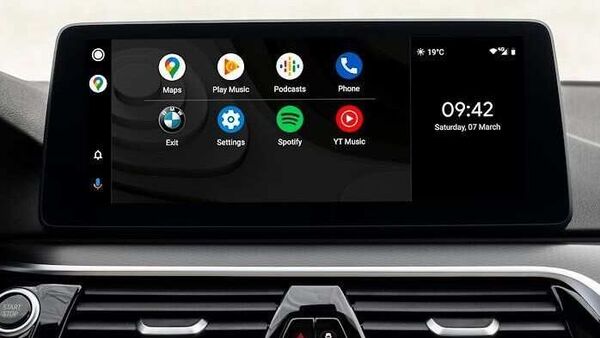
Spotify has upgraded a few features that it provides in its Car Thing segment. Spotify Car Thing which is an infotainment system for cars will now come with a more personalised in-car listening experience for vehicle users. These new upgrades will help the user to respond to phone calls, queue songs and podcasts along with the ability to control other displays and media on the app.
One can receive or reject an incoming phone call seamlessly through the Spotify Car Thing. A user will also be able to play and control other media on the Car Thing and he or she can also easily switch back to Spotify through presets, voice, or by tapping the screen.
Trending Cars

 1497 cc
 Multiple



Also Read : Bentley partners with LifeScore for ‘adaptive music’ in cars
A user can also add songs or podcasts to the queue using four different ways. He or she can do that via touch, the dial, voice command and view the queue. To activate the touch mode, one will have to tap the ‘Add to queue’ icon next to a track in the playlist. With the dial feature, one will have to press and keep holding the dial to play or add the highlighted song or podcast to the queue. Through the Voice Command, one will be able to just queue whatever he or she likes just by saying “ Hey Spotify, queue ABC song." To view the queue, the user will have to state, “Hey Spotify, open my queue" or he or she can press and keep holding the dial when in the ‘now playing’ view.
The Voice Command facility will also help the driver to get a personalised playlist suiting his or her mood. One can also ask for any genre, activity or mood song to play of their wish. For example, one command and say, “Hey Spotify, play rock songs," and the music streaming platform will immediately do it.